Showing posts with label collaboration. Show all posts

Tuesday, August 29, 2017

Microsoft Surface Hub - Whiteboard collaboration settings

At a recent Sydney Surface Hub user group meeting there was a question asked about preventing the Whiteboard app from sharing. 

There are a some settings that can be changed on the Surface Hub to enable or disable sharing of the Whiteboard. 


Disable Sharing
Hide entry points from the Share button, hiding export in the Share charm and Collaboration.

Disable Export
Users cannot send Whiteboards using email, thumb drives, or other mechanisms through the Share charm.

Please follow the link below for more information:

https://docs.microsoft.com/en-au/surface-hub/manage-settings-with-mdm-for-surface-hub

Microsoft Surface Hub - BitLocker Issue

At a recent Sydney Surface Hub user group the topic was raised on how to recover a Surface Hub from a BitLocker locked situation.

If the Surface Hub is BitLocker locked for whatever reason without BitLocker code recorded, in addition to the option of sending a spare SSD, the other option is to ‘reset’ the locked device using ‘Cloud Recovery’. This feature is only supported in Creator’s Update. Refer to below screen flow for process. This process can take up to 2-3 hours.

1. Press 'Esc' on keyboard.


2. Press 'Skip this drive'.


3. Click 'Recover from the cloud'.


4. Press 'Yes'.


5. Press 'Reinstall'.


Wednesday, December 16, 2015

Work Together Better

O happy day!

The final installment of our Future of Work video series has arrived. Over three short videos, we have followed Paula and Sam as they found a new office space at an innovative Realtor and then watched as they collaborated with an Interior Designer to plan their new space. Finally on the latest installment Paula and Sam move into their new office space, complete with cutting edge collaborative innovation.

Work Together Better Video Series

As a team they use nsquared milestone to plan their projects and define their tasks effectively together.

Once project planning is complete the team uses their new touchscreen technology to have quick, pointed meetings. They load PDFs, Word and PowerPoint documents from their local network directly onto the DIGITABLE, annotate together and finally send the annotated files straight to their colleague's desktop device using nsquared presenter.

Team work isn't all serious. Immersive multiplayer games bring everyone together at the end of the day.

Smart tables, smart work flow. The future of work is here.

Click here to watch the Future of Work series now.

Thursday, September 24, 2015

The Digital Table: A Story Part 1


The following is an excerpt from our upcoming illustrated eBook, The Digital Table, available October 22. Follow nsquared here for more information on its release.

The Rate of the Adoption of Technology 

Technology is the tool we use to move the world forward. It is the tool that we invent to meet a need - to count, to cool, to connect.
For this reason it is also a driver of our behaviour. We learn to go to the kitchen for food instead of the market. We learn to check our Maps app and bin the Street Directory. We learn to tap a book.
The graph above demonstrates how new technology is being adopted at an increasingly rapid pace. This also means that our behaviour is changing and adapting at its quickest pace in history. The past twenty years has seen incredible advancements in personal device technology and we have changed our behaviour to meet it. But, in some regards, this behaviour model we have been trained into goes against our nature.
The digital table is a response to this behaviour shift. And to fully understand its place, we will start 200 million years ago…
Our neocortex, the word to make anyone sound smart, developed 200 million years ago. It separated us from our reptilian counterparts for two significant reasons, and explains our drive for constant improvement.
And so the Neocortex has led us to where we are today. In the cloud.

 A Cloud Revolution

The cloud is the latest term given to larger computer power. The cloud, as it appears, is an infinite resource of computing power being used to revolutionalise our communications systems, extending our data from our limited finger tips to endlessly accessible locations.
This means that in many ways, hardware is becoming commoditised. A $99 tablet at the local supermarket is no longer a shock. Our understanding of computers is changing.  Technology has shifted so significantly that instead of technological “silos”, our behaviour is changing in a way that shows we understand everything is, and should be, connected.


Time to Re-Imagine

This siloed technology ignores our natural social drive. We have trained ourselves to behave in this way as this was the only technology available to us. 
The definition of “multi -user technology” is changing. It is not about sharing a computer any more. Multi-user technology isn’t about replacing the individual device. Multi-user technology is about creating spaces to share information together; collaborative spaces to connect meaningfully in the real world again. Multi-user technology is a different mechanism for interaction in the new world.
It’s time to re-imagine technology beyond the single-user.

Check out nsquared here, learn more about multi-user technology here or visit our Facebook or LinkedIn pages

Thursday, September 10, 2015

The One Trick to Skyrocket Your Productivity


Be Active.


Manage Your Energy Levels


Our body is made up of chemicals. We are giant, glorified walking petrie dishes. If you put in the time to ready consider what you are putting into your body and how you are treating your body: what your body responds to, what it doesn’t; then you will see extraordinary effects. Maybe three coffees isn’t as good at improving your productivity in the longer term as it feels like it is. Then again, maybe it is. Keeping account of the food you eat, what hours of the day you feel buzzed and those that you don’t, will help you maintain a consistent energy level the whole day. Suddenly 3pm is as productive as 10am.


Mindful Exercise


Something that has been found to remarkably help people improve productivity is doing 30 minutes of exercise before work begins. The rhythm of a jog creates a mindfulness, preparing people for the day ahead. Already, people have solved problems before they are even in the office. Something you must keep in mind too (and to continue this jogging theme), productivity is a marathon and not a sprint. It is something to work toward, and like a jog, takes effort initially but the fruits will realise themselves quickly enough.

This is not to mention that a daily or even weekly jog will improve your energy levels in the longer term, keeping you alert and energised for the whole day as well as improving your sleeping habits.


Active Workplace


Another way to keep active, employed at a management level, is to upgrade your office from a cubicle farm or open plan office into an Activity Based Workplace (ABW). Rather than sitting people in one place and keeping them confined to one particular work station, ABW is about providing a a variety of office environments to create a more social workplace in order improve collaborative workflow. The range of office environments might include hot desks, more casual relaxed workspaces and central team spaces called “anchor points”, where people can share ideas and host meetings. ABW forces employees to be less sedentary, more active and as a result, more productive and enjoy working more. 

nsquared


Keeping active is a mindset not only for you but also a mindset for an organisation. At nsquared we design and build for AWB environments, and staying true to our belief, we also work in an active way. Meetings are often walk-and-talks between pairs, and for larger groups, our stand up DIGITABLE PLUS meetings are dynamic and pointed, keeping us constantly moving. To top it off, running seems to be the default mode of nsquared legs, spurring each other on at our daily stand up meetings. An active office is an engaged office.


Follow nsquared on Facebook, Twitter or LinkedIn or visit our website here. Have a productive day!

Thursday, September 3, 2015

A Whole New Interface. A Whole New Opportunity.


Introducing nsquared tabletopTM, our 360 degree multi-user operating system designed especially for the digital table.

The new design had one simple goal: a screen that lets any amount of people do exactly what they want to do.

The result is an intuitive, elegant interface which brings people together to genuinely collaborate, unlike so much technology that exists now. Using free-floating content boxes which are fully manipulable, rotatable and scalable, nsquared tabletop enriches interactions and improves productivity between people.

To bring nsquared tabletop to life, we have developed nearly 20 custom apps which are now available, ranging from productivity tools to multi-user games.

Who did we have in mind when designing nsquared tabletop? The forward-thinking office, lobby, school, library, shopping centre… the possibilities are endless. Anyone who appreciates innovative solutions and understands the value of collaboration, nsquared tabletop was developed for you.

Working together in the same physical space with cutting edge multi-user technology; welcome to the next step in collaboration.

Work. Together. Better. nsquared tabletop is available now. Contact us for more details, or visit our website, LinkedIn, Facebook or Twitter pages.



Thursday, August 13, 2015

Multi-User Collaborative Education on Windows 10

 
nsquared makewords: engaging multi-user educational app available on Windows 10 App Store now

The exciting launch of Windows 10 a couple of weeks ago marks a big moment for the future of apps. As Microsoft moves towards cross-platform responsive apps and collaborative technology (read our posts on Microsoft Continuum and Microsoft Surface Hub), we are excited to see substantial growth in the multi-user app market. Don’t forget to head over to the new Win10 store to check out our great range of multi-user education apps, all engaging games which encourage kids to socialise whilst learning.

Learn object recognition and differentiation with nsquared makewords.

Develop numeracy, pattern matching and object recognition with nsquared herding.

Explore words and letters virtually with nsquared letters.

Explore numbers and equations virtually with nsquared numbers.

Develop pattern matching and object recognition with nsquared snap.

Challenge the mathematical skills of players in nsquared coinswap.

Develop pattern matching with nsquared missing card

To learn more about multi-user educational apps follow nsquared on LinkedIn, Twitter or Facebook or check out our DIGITABLE site for more information.

Friday, July 24, 2015

‘Innovating Collaborative Workflow’ Discussions By The Fireplace at The Porter


'By The Fireplace' Panel: Neil Roodyn, Arabella Macpherson, Lauren Ryder, Domino Risch, Steve Baty

Last night was the very first ‘By The Fireplace’ panel discussion, launching with the topic ‘Innovating Collaborative Workflow’. Distinguished panellists sat by the (strategically flameless) fireplace discussing new ideas in workplace communication best practise and the future of collaboration; covering everything from the impact of emerging technologies to the importance of a strong, strategic workplace culture. Our multi-talented guest speakers on the night were Steve Baty of Meld Studios, Arabella Macpherson of Resonate Communications, Domino Risch of BVN Architecture and Lauren Ryder of Mirvac, MC'd by nsquared’s very own Neil Roodyn. All experts in their respective fields, the night brought about a fiery, incisive discussion about the future of the workplace. 

As well as an elaborate cheese smorgasbord and plenty of wine, the heated panel session was concluded with a networking session, giving everyone an opportunity to share their ideas about communications workflow. See the below photos for brief snippet of the night, and check our Facebook or LinkedIn page next week for more photo action.

The night also featured a DIGITABLE which is permanently housed at The Porter, where guests had the opportunity to see and play with nsquared’s ideas on the future of workplace collaboration. The evening being a roaring success, the second ‘By The Fireplace’ discussion is already in the works. Because of the fantastic turnout, we want to open the doors a bit wider for our next event. We welcome anybody interested in partaking in invigorating discussions around workplace best practise to please contact us. 

We send our thanks out to everyone that attended the event, especially our distinguished panellists. If you have gone home with a new outlook, a new idea or a new contact, it was a successful night. We look forward to seeing everyone next time!

To get in touch with nsquared about any upcoming events, contact us at enquiries@nsquaredsolutions.com, or message us on Twitter, Facebook or LinkedIn.


Friday, May 29, 2015

Three Tips to Give Your Business the Edge

The new economy is not measured in currency but attention. This is not news - Herbert Simon was talking about it in 1971. Attention demands time, and to get time we need to be smart in how we work. The idea of the workplace ecosystem, a collaborative body, is increasingly being recognised by change innovators as a powerful agent for productivity. We like working together and we work well together.

Here are some ideas for you to help get more time in your life, through smarter workplace practices:


1. Take the initiative to start the conversation.

"Being able to work with others is an important part of being an entrepreneur"
- Amy Rosen, President and CEO, Network for Teaching Entrepreneurship

Actively look for criticism, feedback, opinions from everyone that you can. Even if they are not experts in the field or on the same level as you. Being able to articulate your thoughts to them will help you simplify and distill your ideas. This will create a dynamic, collaborative atmosphere and, as the Work Futurist Jeremy Scrivens says, will create a positive and accountable workplace ecosystem.


2. No meeting can ever be longer than 1 hour.

The shorter the better; meetings must be pointed with a measurable outcome. Anything being discussed for longer than an hour is not meant for a meeting: more time talking about doing work means less time doing work. If there is a lot of content to talk about, send it around beforehand and talk about key issues within the meeting itself.


3. Team spaces are as important as solo spaces.

Why did the "work from home revolution" never eventuate? Because people feed off each others energy. We don't like working in isolation: we are social animals that need others to excel ourselves. Team spaces can be anywhere, for formal meetings or ad hoc conversations, the only rule is no phones, tablets or laptops. Personal devices, while great for certain things, isolate and distract.

nsquared has a vision to move the business world forward by creating better tools for pointed, meaningful interaction in your workplace. If you are interested in what we do, or if you are interesting in joining any of the events we host about workplace collaboration, keep up to date with our Twitter or Facebook or join our VIP mailing list. 

Have a productive day!

Thursday, May 7, 2015

"Within The Power of Humanity:" The Launch of the Tesla Powerwall


This week Elon Musk unveiled the Tesla Powerwall and set about a media frenzy. What makes this product launch different from any other? The fact that it addresses one of the key challenges facing the future of power, and by extension the future of our climate: energy storage.

The Tesla Powerwall, Musk claims, is the "missing piece" to a world of sustainable energy. It is a battery for the whole home or business, charged by the huge "fusion reactor in the sky". The product itself is a wall-mounted device marginally bigger than a standard home flat screen TV which Musk says owners can mount in their garage or outside their house. At $3,500 USD, much of the discussion surrounding this breakthrough technology has been regarding the economic viability for average homeowners: does this product, many are asking, deserve to be already sold out until mid-2016? Some have claimed it as revolutionary, others say it is a "toy for rich green people". What has been largely unaddressed in many mainstream media, however, is the human impact.

During the launch video, Musk makes an interesting comparison. In a lot of developing countries, rural areas or island states, mobile phones leapfrogged landlines in terms of usage. The infrastructure of landline telecoms was unnecessary. Likewise, the Tesla Powerwall will eradicate the need for a large scale energy network for the parts of the world that do not already have it. A technology that connects, empowers and enriches the world, whilst at the same time dramatically helping to curb carbon emissions, seems like an extraordinary product.

nsquared stands for advancing the world collaboratively, and the Tesla Powerwall is an exceptional example of realising this vision. The future is looking bright.


Sunday, January 5, 2014

Refined and updated

A number of the nsquared iPad education applications have been updated to support iOS7.

nsquared makewords and nsquared A to Zoo are amongst our favourite iPad applications for the younger audience.

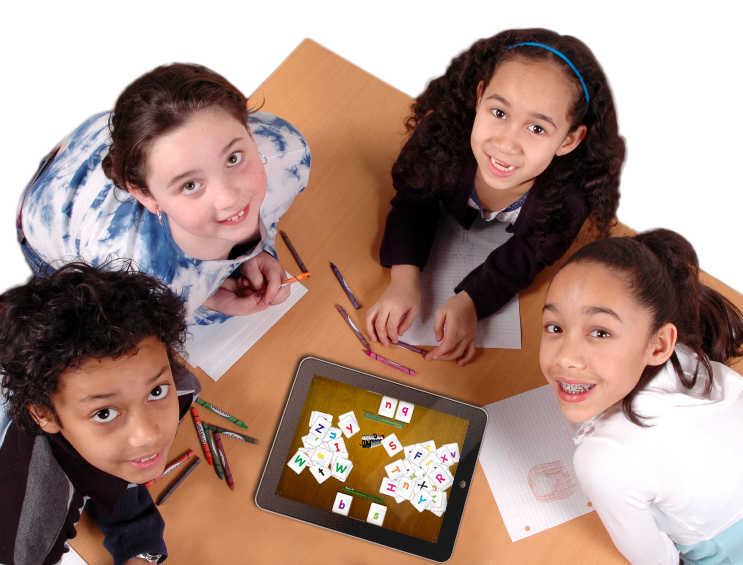
nsquared makewords is a spelling activity for two players, or two teams. The objective is to determine the word for the object on the screen and spell it as fast as possible.

nsquared makewords for iPad
Playing nsquared makewords with friends

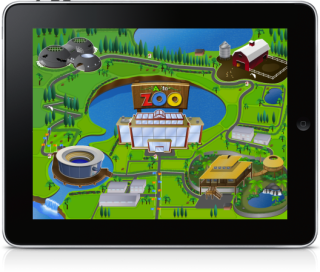
nsquared A to Zoo provides four fun educational activities around the zoo, pattern matching, spelling and counting are all important skills to winning stickers. With the stickers you can make your own zoo scenes and save them to your photo collection.


A to Zoo for iPad
Explore the activities in the zoo with nsquared A to Zoo


Download to your iPad now from the App Store.

download a to zoo


Wednesday, December 18, 2013

You can send content from your iPad to nsquared presenter screens


The Apple iPad is found in many meeting rooms being clutched by individuals as their life support systems. The iPad contains their email, calendar, and a range of other important business documents. Yet in a meeting the iPad represents an isolating and personal device. With nsquared presenter digital tables, interactive touch screens and presentation screens can display content from an iPad to be shared with the group for discussion.
Here some examples of how people are using nsquared presenter and iPads:

  • A sales person keeps a range of product images on their iPad and shares the relevant images on a digital table with customers as required.
  • A sales team collates ideas from their personal devices to a digital table to create a new presentation.
  • Students collect research materials on their iPads and then gather around their digital table in the library to create group projects. 
  • A teacher shares question sheets from their iPad to the digital table for a group of students to discuss and answer.
  • A designer shares sketches from their iPad with clients around a touch table.
  • A project team share progress reports from their iPads to the digital table in their meeting room in their weekly status meetings.

Sharing content from iPad to digital tables using nsquared presenter

Monday, December 9, 2013

You can load PowerPoint files with nsquared thoughts


PowerPoint files are everywhere in the workplace. PowerPoint is used to describe the financial position of a company, the sales pitch for a product, the concept for a new project, and countless other scenarios. With nsquared thoughts you can load those PowerPoint slide decks directly onto your digital table and annotate them as a group. Here some examples of how people are using nsquared thoughts and PowerPoint files:
  1. A sales team discusses how to improve existing presentations around their touch table.
  2. A sales person presents ideas to clients, the clients get involved with directly annotating the slides themselves
  3. A project team incorporates slides from a PowerPoint deck into a conversation involving other sketches on their digital table.
  4. A management team uses slides from their company vision PowerPoint deck to determine the validity of new project proposals.
  5. A financial team uses PowerPoint slides to discuss the quarterly results of their company subsidiaries at their digital table.
  6. An investment team discusses the different pitches they have heard each week and display the PowerPoint slides from each pitch on their table.


Thursday, June 20, 2013

Microsoft Education Blog recommends nsquared Windows 8 apps (Twice!)

The interest and excitement for our Windows 8 education apps continues to increase as nsquared is featured not once, but twice in articles published on The Australian Education Blog this week.


 Ray Fleming, a member of the Australian Microsoft Education team, authors the blog which focuses on what’s interesting in Education IT in Australia.

Read his article, “Collaborative learning with Windows 8 multi-touch apps– flip the screen over!” here -


And read his more recent post, “Collaborating on Chemistry on a Windows 8 touch slate” here -


Thanks Ray! :)

Wednesday, June 19, 2013

nsquared feature in The Australian


Well look what we’ve just found in the nsquared archive…


Our highly publicized feature in The Australian!

Chris Griffith, a prominent IT writer for The Australian, visited our nsquared technology studio in Sydney to have a chat about the power of social computing around the Samsung SUR40.

The original article was published on July 10, 2012 – Read it here,


We are happy to say that more than 18 months later there continues to be a  high and increasing demand for the Samsung SUR40 (and other multi-user tables) and our off the shelf applications. We have a broad range of customers from business to education, retail to hospitality – both here locally in Australia and across the globe.

Today you can find the SUR40 running our nsquared software in many schools, universities, museums, hotel foyers and even real estate offices!

Spark your curiosity?

Find out more about increasing productivity, collaboration and creativity in your spaces today by contacting us on +61 2 9262 3386 or email us – info@nsquaredsolutions.com 


Wednesday, June 12, 2013

How Your Business Can Benefit from a Digital Table


Are you tired of attending the same boardroom and client meetings? Are you fed up with competing for attention and compelling customers to focus on the same projected screen? Perhaps you just can't quite see what your teammate is trying to share with you on their tablet or mobile screen.

Why not revolutionize your business meeting space with a digital table? Take your meetings to the 21st Century and present your digital content horizontally with a group of people around a 360 degree interface. Better yet, why not use software that integrates multiple devices to share that digital content?

For centuries tables have been used as a space for meetings, a place for sharing of ideas and discussion arenas for business development. Now, as modern society continues to focus on developing content and ideas on personal devices, it only makes sense that we share all our hard work with our colleagues in a more collaborative and open environment.

Everything we generate - our Office documents, images and videos, PDFs and Powerpoint presentations - can be placed on a digital table that is easier for everyone to see and review. Tables further support and enhance conversations by encouraging face-to-face communication and co-operation.

Benefits of a Digital Table

- Create strong engagement
- Keep attention focused
- Create a memorable experience 
- Enhance and enrich your conversations
- Increase productivity
- Easily share and annotate digital content
- Become green friendly, save on printing costs

For more information on digital tables and applications that can be used your business environment today , read our latest newsletter here: 

FREE Newsletter on Digital Tables

Like what you've read? Let us know your thoughts by contacting us at enquiries@nsquaredsolutions.com 


Monday, May 20, 2013

New 55'' Perceptive Pixel @ nsquared studio

There are big smiles in the nsquared studio this week with the exciting delivery of the 55'' LED Multi-Touch Display by Perceptive Pixel!


Following our mission, we literally are putting digital tables everywhere. While the PPI screen is originally intended to be placed vertically, we have enhanced its multi-touch, multi-user capabilities by mounting it horizontally. If the display wasn't enticing enough, our LED, steel structure stand changes colours - perfect to blend into any educational, business or public space environment. 

5 cool features of this device include:

1.  Large 55'' Pro Cap Display (Projected Capacitive display)
2.  2.5'' trim profile
3.  1920 x 1080  HD
4.  Supports massive multi-touch, and input from 6 stylus simultaneously
5.  Built in colour correction 

We are very excited to have this new piece of hardware in the nsquared studio and look forward to adding and testing our variety of nsquared business, education and hospitality applications on it.

If you are interested or want to know more about this product and our software, please do not hesitate to ring us on + 61 2 9262 3386 or email enquiries@nsquaredsolutions.com


Monday, July 9, 2012

Featured in The Australian

We had a great visit from Chris Griffith last week, of The Australian newspaper.

We spent about an hour showing Chris all the great work we are doing with tabletop computers, specifically the Samsung SUR40. 

Today an article from Chris appeared in The Australian newspaper and it can be found online here


Sunday, July 1, 2012

Australian Launch event for Samsung SUR40 with Microsoft PixelSense

Last week was a big week for us at nsquared. Working with Samsung, we launched the Samsung SUR40 with Microsoft PixelSense in Australia at an event in Sydney.
Samsung SUR40 with Microsoft PixelSense running nsquared presenter.


The nsquared team at the event demonstrated a number of applications. Amongst the most popular was nsquared presenter, from the nsquared business pack. With nsquared presenter content such as Microsoft Office documents, images and movies can be shared on the table and sent to other screens. Other devices running nsquared presenter can also share content between each other.
With nsquared presenter we are bringing all your digital devices together to create a truly collaborative solution.

Here is some press we received from the day:


Sunday, February 26, 2012

Announcing nsquared presenter 2.0


nsquared presenter allows you to collaboratively create and deliver presentations using all the devices you find in a meeting room. From your tablet to the projected screen on the wall and the iPads your colleagues have, nsquared presenter has it covered.

Your team can build a new presentation timeline of content including slides, spreadsheets, documents, images and movies brought together from different files. It can be done on the tablet, a table-top computer, an interactive touch screen, or all three! This timeline you create together becomes the new presentation and will synchronize with all of the other devices running nsquared presenter.

The nsquared presenter solution is ideal for sales, investor and internal meetings. Bring seamless computing into your meeting room space today!

For more information and to order nsquared presenter