Showing posts with label sharing. Show all posts

Tuesday, August 29, 2017

Microsoft Surface Hub - Whiteboard collaboration settings

At a recent Sydney Surface Hub user group meeting there was a question asked about preventing the Whiteboard app from sharing. 

There are a some settings that can be changed on the Surface Hub to enable or disable sharing of the Whiteboard. 


Disable Sharing
Hide entry points from the Share button, hiding export in the Share charm and Collaboration.

Disable Export
Users cannot send Whiteboards using email, thumb drives, or other mechanisms through the Share charm.

Please follow the link below for more information:

https://docs.microsoft.com/en-au/surface-hub/manage-settings-with-mdm-for-surface-hub

Thursday, April 14, 2016

Our Next Event: Collaborative Learning & The Future Workplace

It's event time again at nsquared and below is your very exclusive invite to our next event!


Following on from our successful By The Fireplace event in October 2015 which was attended by more than 85 tech industry, Design & C-Level executives, it's time for you to save the date - Thursday April 21st - for our next event which will be held in Wynyard.

This event will be even bigger than the last one and will feature panelists shedding light on our topic: Collaborative Learning: How ‘Campfire Moments’ Will Change the Future Workplace.

At this event you will learn about:

  • Collaborative learning & 'purpose mastery' in organisations
  • How workplace trends such as telecommuting and virtual reality will change everything
  • Why collaboration & social connection will become critical to organisations in the future

This is an invite-only event and we will have limited seating so RSVP is essential. Please contact events [at] nsquaredsolutions [dotcom] if you would like to attend!

Sunday, January 5, 2014

Refined and updated

A number of the nsquared iPad education applications have been updated to support iOS7.

nsquared makewords and nsquared A to Zoo are amongst our favourite iPad applications for the younger audience.

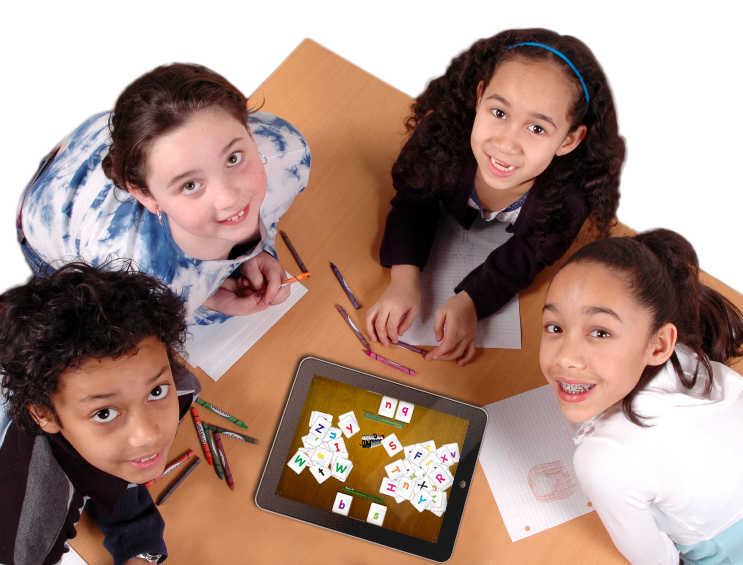
nsquared makewords is a spelling activity for two players, or two teams. The objective is to determine the word for the object on the screen and spell it as fast as possible.

nsquared makewords for iPad
Playing nsquared makewords with friends

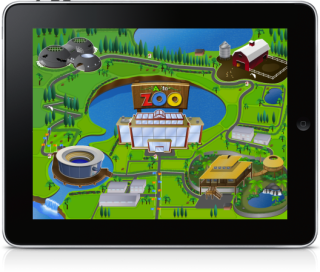
nsquared A to Zoo provides four fun educational activities around the zoo, pattern matching, spelling and counting are all important skills to winning stickers. With the stickers you can make your own zoo scenes and save them to your photo collection.


A to Zoo for iPad
Explore the activities in the zoo with nsquared A to Zoo


Download to your iPad now from the App Store.

download a to zoo


Wednesday, December 18, 2013

You can send content from your iPad to nsquared presenter screens


The Apple iPad is found in many meeting rooms being clutched by individuals as their life support systems. The iPad contains their email, calendar, and a range of other important business documents. Yet in a meeting the iPad represents an isolating and personal device. With nsquared presenter digital tables, interactive touch screens and presentation screens can display content from an iPad to be shared with the group for discussion.
Here some examples of how people are using nsquared presenter and iPads:

  • A sales person keeps a range of product images on their iPad and shares the relevant images on a digital table with customers as required.
  • A sales team collates ideas from their personal devices to a digital table to create a new presentation.
  • Students collect research materials on their iPads and then gather around their digital table in the library to create group projects. 
  • A teacher shares question sheets from their iPad to the digital table for a group of students to discuss and answer.
  • A designer shares sketches from their iPad with clients around a touch table.
  • A project team share progress reports from their iPads to the digital table in their meeting room in their weekly status meetings.

Sharing content from iPad to digital tables using nsquared presenter